

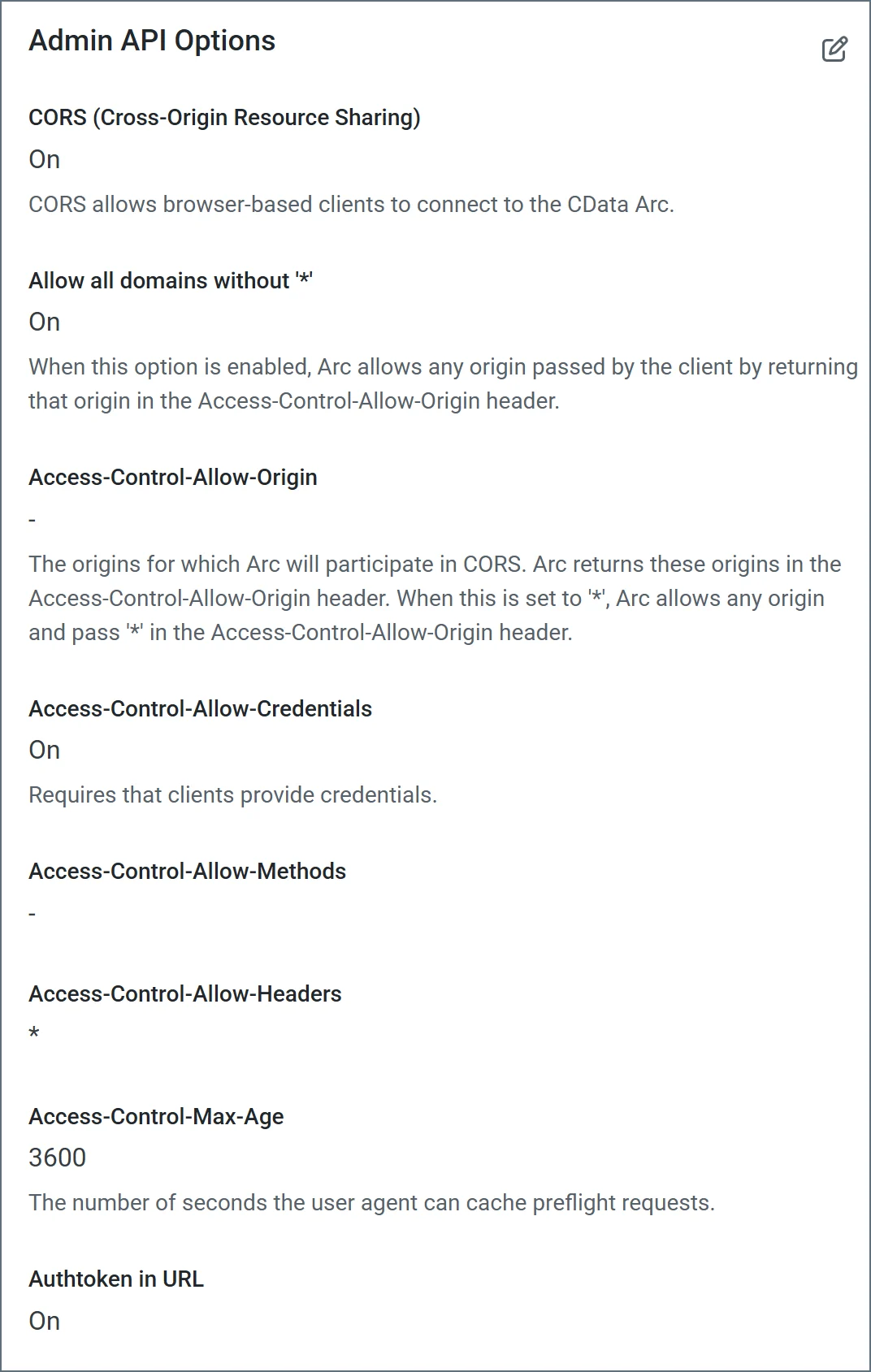
Cross-Origin Resource Sharing (CORS)
CORS allows browser-based clients to connect to . Without CORS, browser-based scripts cannot connect to because of the same-origin policy enforced by the browser. This policy restricts client-side scripts and documents from loading resources outside their origin. The origin of a script consists of the protocol, host, and port. The following table describes the available CORS settings.| Setting | Description |
|---|---|
| Enable cross-origin resource sharing (CORS) | Whether or not CORS is enabled. The rest of these options are only available when you check this box. |
| Allow all domains without ’*‘ | If enabled, domain origins are not restricted to a specific list. |
| Access-Control-Allow-Origin | The comma-delimited list of domain origins to allow. Included as an HTTP response header. |
| Access-Control-Allow-Credentials | Whether or not user credentials such as cookies are allowed in cross-origin requests. Included as an HTTP response header. |
| Access-Control-Allow-Methods | The comma-delimited list of methods to allow. Included as an HTTP response header. |
| Access-Control-Allow-Headers | The comma-delimited list of headers to allow. Included as an HTTP response header. |
| Access-Control-Max-Age | The maximum duration (in seconds) that Access-Control response header values can be cached. |
Authtoken in URL
Check this to allow the connector to pass the auth token in query string parameters for authentication. For example:https://myarcinstance.com/api.rsc/connectors?@authtoken=myAuthTokenValue.