

XML Mapping
You must connect an XML Map connector to the Amazon Marketplace connector and map the shipment confirmation values. In the example below, the order information appears in the Source column, and the Amazon Marketplace shipment parameters appear in the Destination column.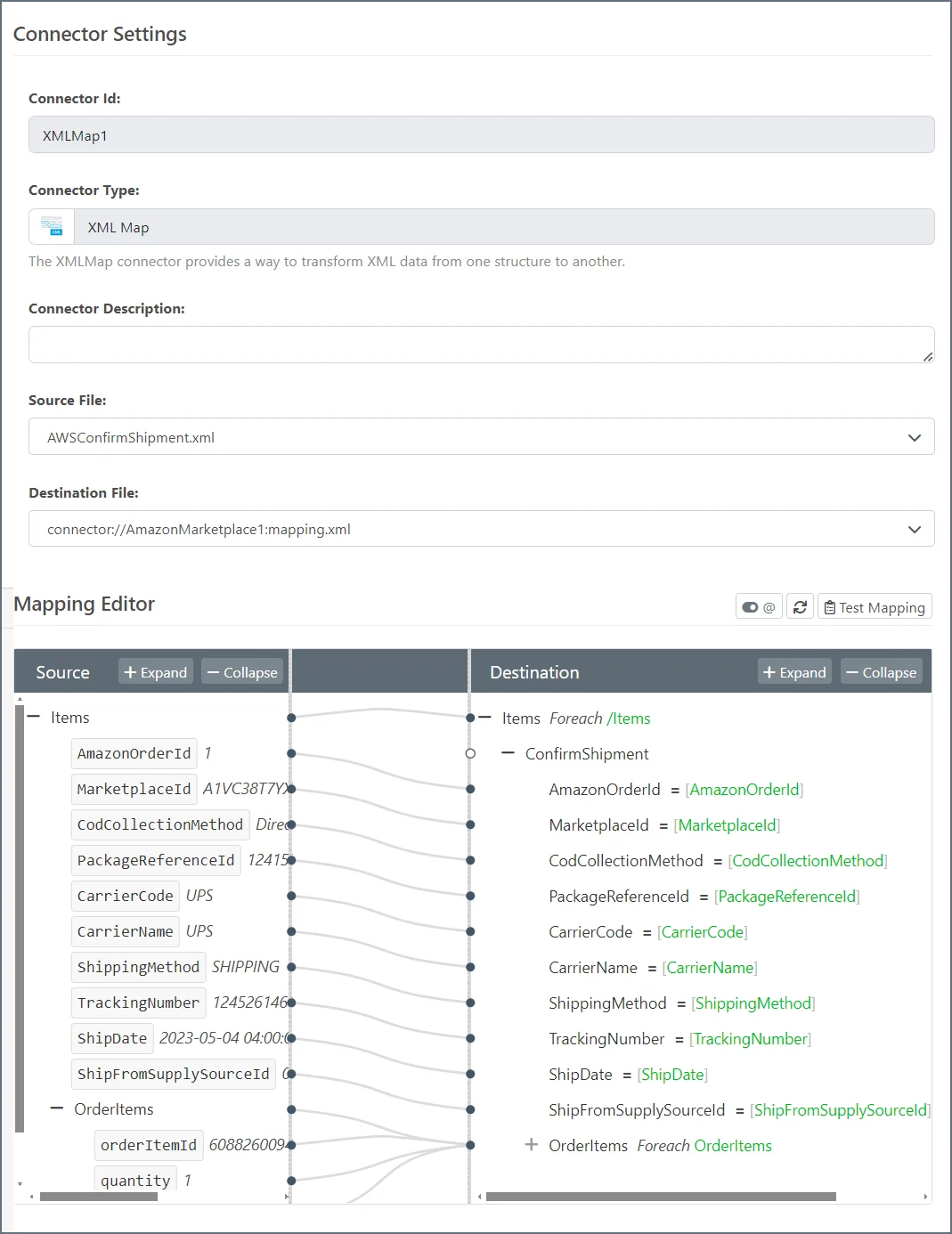
Connector Configuration
In the configuration pane for the Amazon Marketplace connector, enter a comma-separated list of Marketplace Ids for the items that you want to update.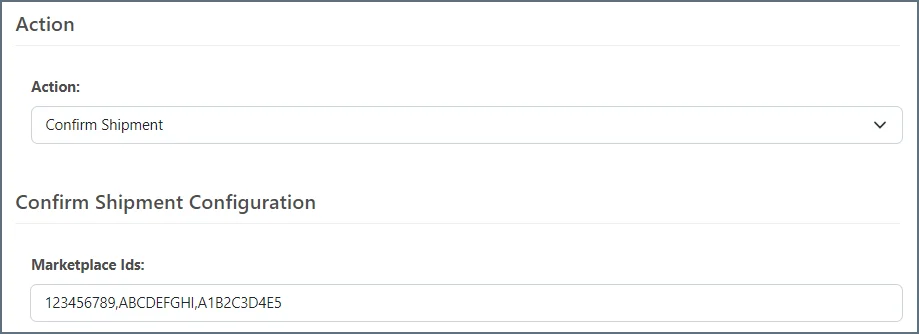
Input Parameters
The following table lists the input parameters that you can map with the XML Map connector interface.| Name | Data Type | Required? | Description |
|---|---|---|---|
| AmazonOrderId | String | True | An Amazon-defined order identifier, in 3-7-7 format. |
| MarketplaceId | String | True | The unobfuscated marketplace identifier. |
| CodCollectionMethod | String | False | The cod collection method, supported in JP only. |
| PackageReferenceId | String | True | A seller-supplied identifier that uniquely identifies a package within the scope of an order. Only positive numeric values are supported. |
| CarrierCode | String | False | The code of the carrier. |
| CarrierName | String | False | The name of the carrier. |
| ShippingMethod | String | False | The order shipping method. |
| TrackingNumber | String | True | The order tracking number. |
| ShipDate | Datetime | True | The order shipping date. |
| ShipFromSupplySourceId | String | False | The supply source id of the order. |
| OrderItems | String | True | The list of order items, quantities and transparency codes to be updated. This aggregate field is automatically expanded in XML Map to reveal the available fields in the aggregate. |