

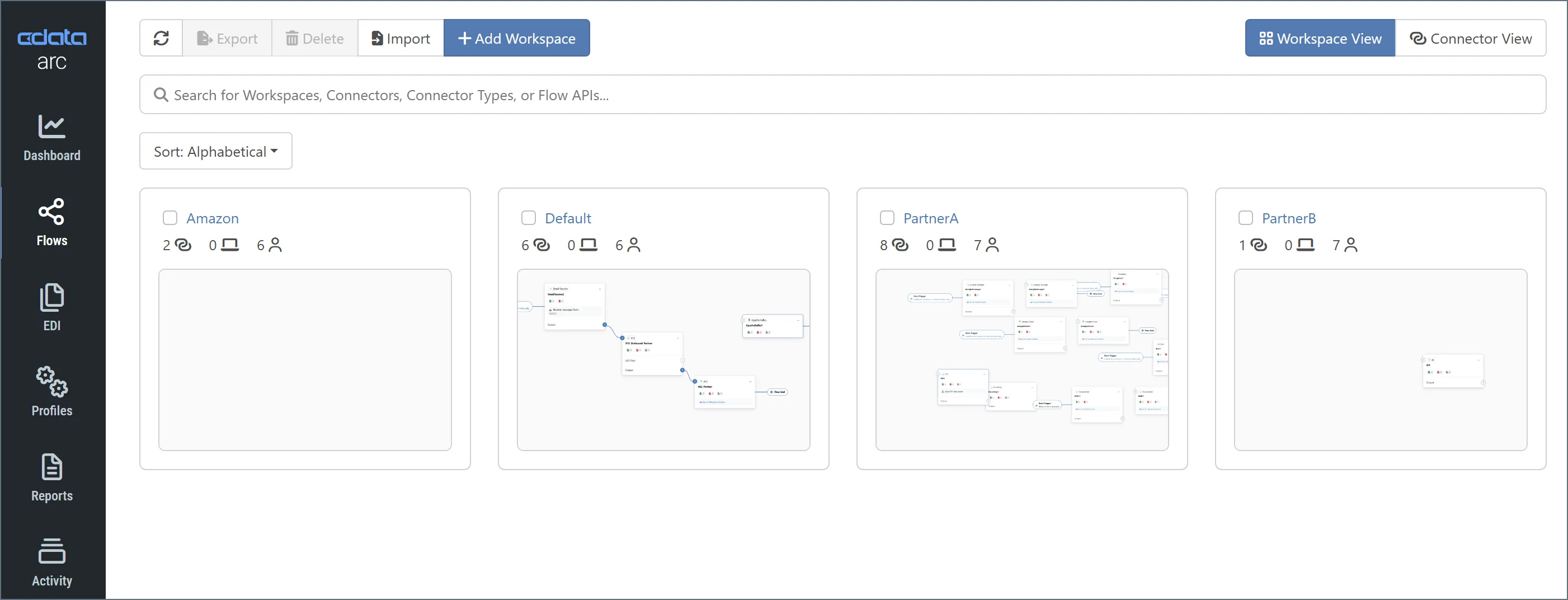
You can toggle between two types of connector displays:
- Workspace View displays the workspace cards that enable you to design your flows. The previous image is of the workspace view.
- Connector View displays a list of all connectors in your application. Use this view to perform bulk edits on connectors. See Connector View and Bulk Editing Connectors for details.
Flow Canvas Example
The following image shows a simple flow canvas that links a trigger AS2_Amazon connector to a terminal File_Dropoff connector (see Connector Categories for more information about trigger and terminal connectors):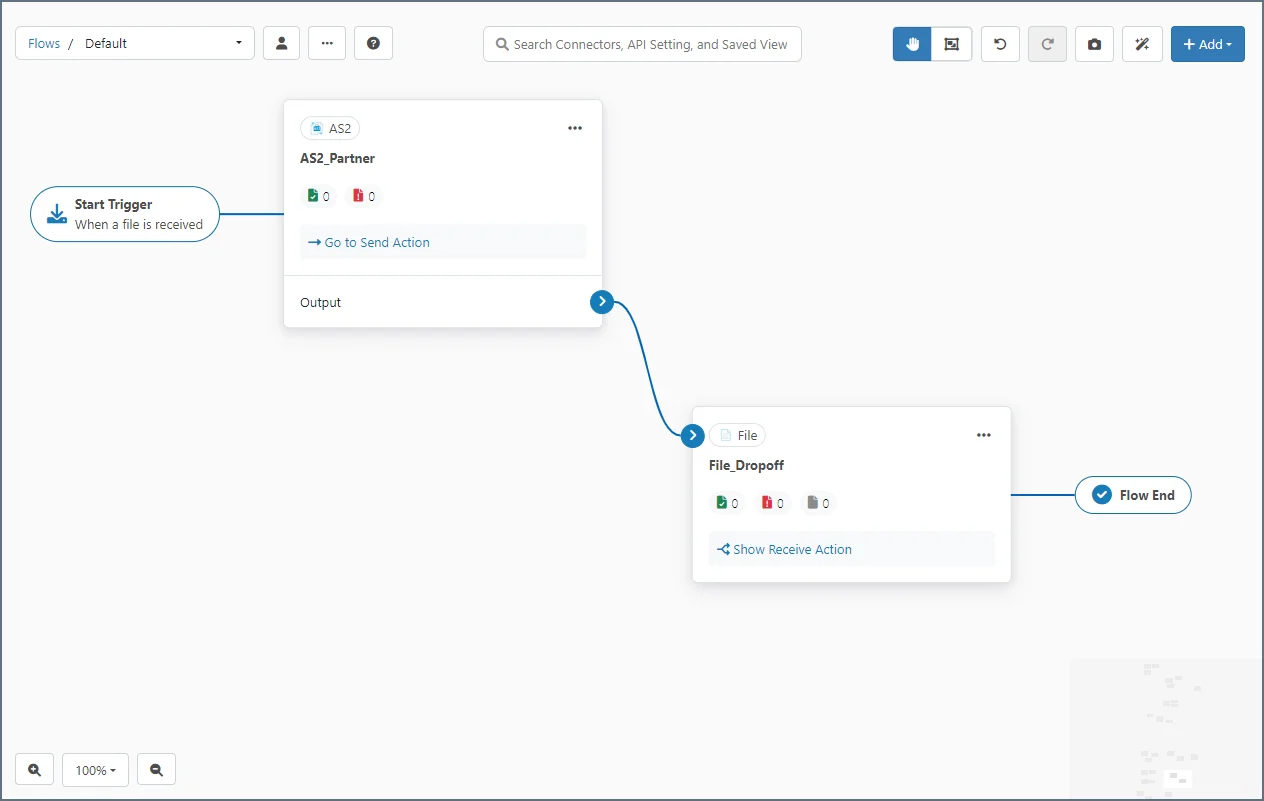
You can revert to the classic flow designer UI by navigating to Settings > Advanced and checking the Classic Flow Designer UI checkbox.