

Overview
supports establishing an AS4 connection with a trading partner in a simple two-step process. First the AS4 profile is configured with local AS4 details (identifier, private certificates, and so on). Then an AS4 connector is configured on the Flows page with the AS4 details for a specific trading partner.AS4 Profile Configuration
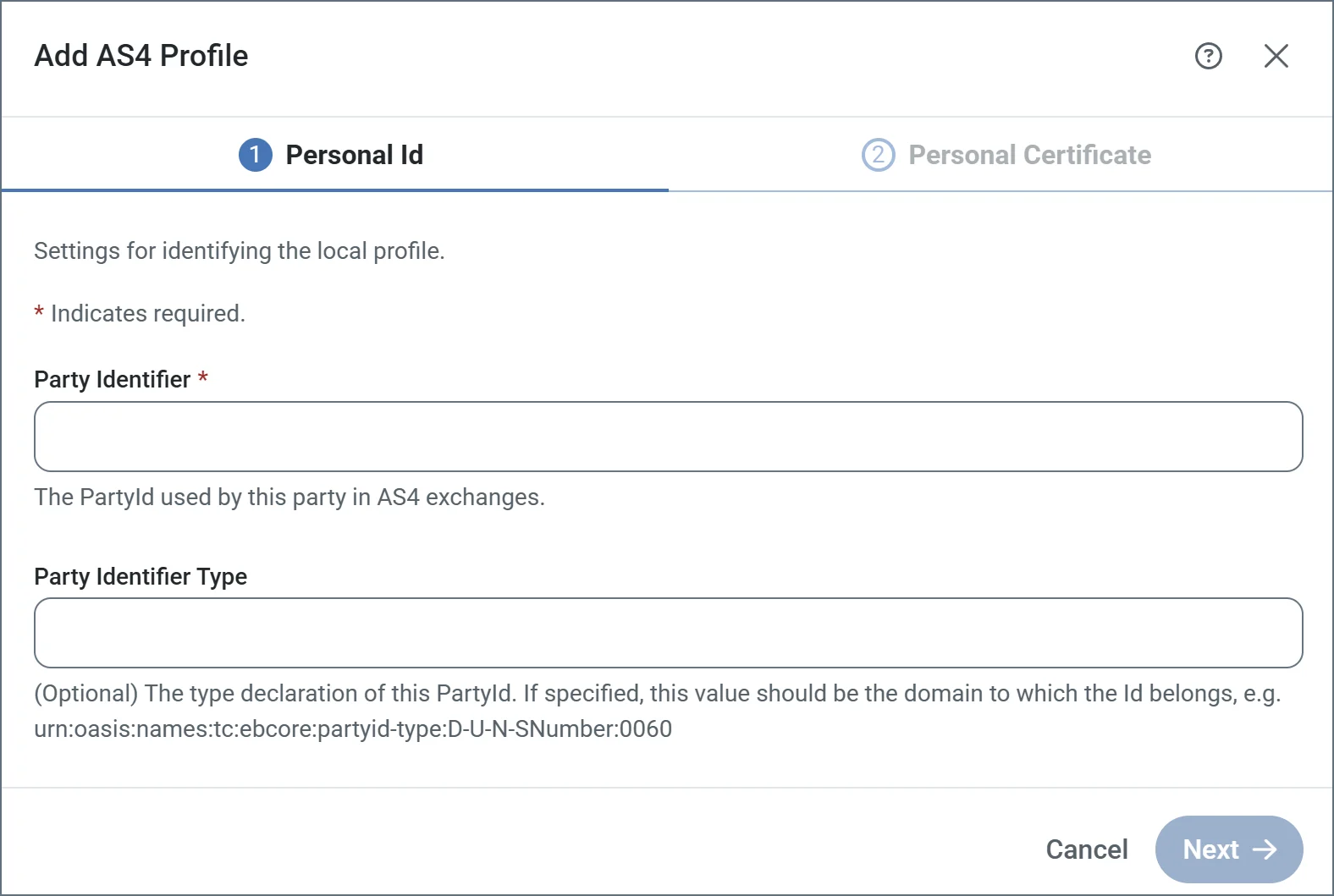
The Profiles page contains an AS4 section where local AS4 details are configured. The primary configuration details are:- Party identifier (the value that identifies to your trading partners as an AS4 entity)
- Private certificate (the certificate that is used to decrypt incoming messages and sign outgoing messages)
Party Identifier
Your AS4 identifier is included in outgoing AS4 messages and identifies you as the sender. Additionally, incoming AS4 messages must be addressed to this identifier to be accepted by the application. AS4 identifiers have some restrictions: for example, they cannot include whitespace characters and they are case-sensitive. Other than those (and any restrictions imposed by your trading partners), AS4 identifiers can be any mutually agreed upon value. Some identifiers must be qualified by the Party Identifier Type to provide context to the identifier value. This value should be the domain to which the Id belongs, such asurn:oasis:names:tc:ebcore:partyid-type:iso6523:0060.
Private Certificate
Your private certificate is used for digital cryptography (decryption and digital signatures). The private certificate contains a private key that is paired with your public encryption key. When a trading partner uses your public encryption key to secure an AS4 message, it ensures that only you can decrypt the message (with the paired private key). supports private certificates in PKCS#12 format (.pfx or .p12 files), and PEM-encoded public key certificates (.cer files).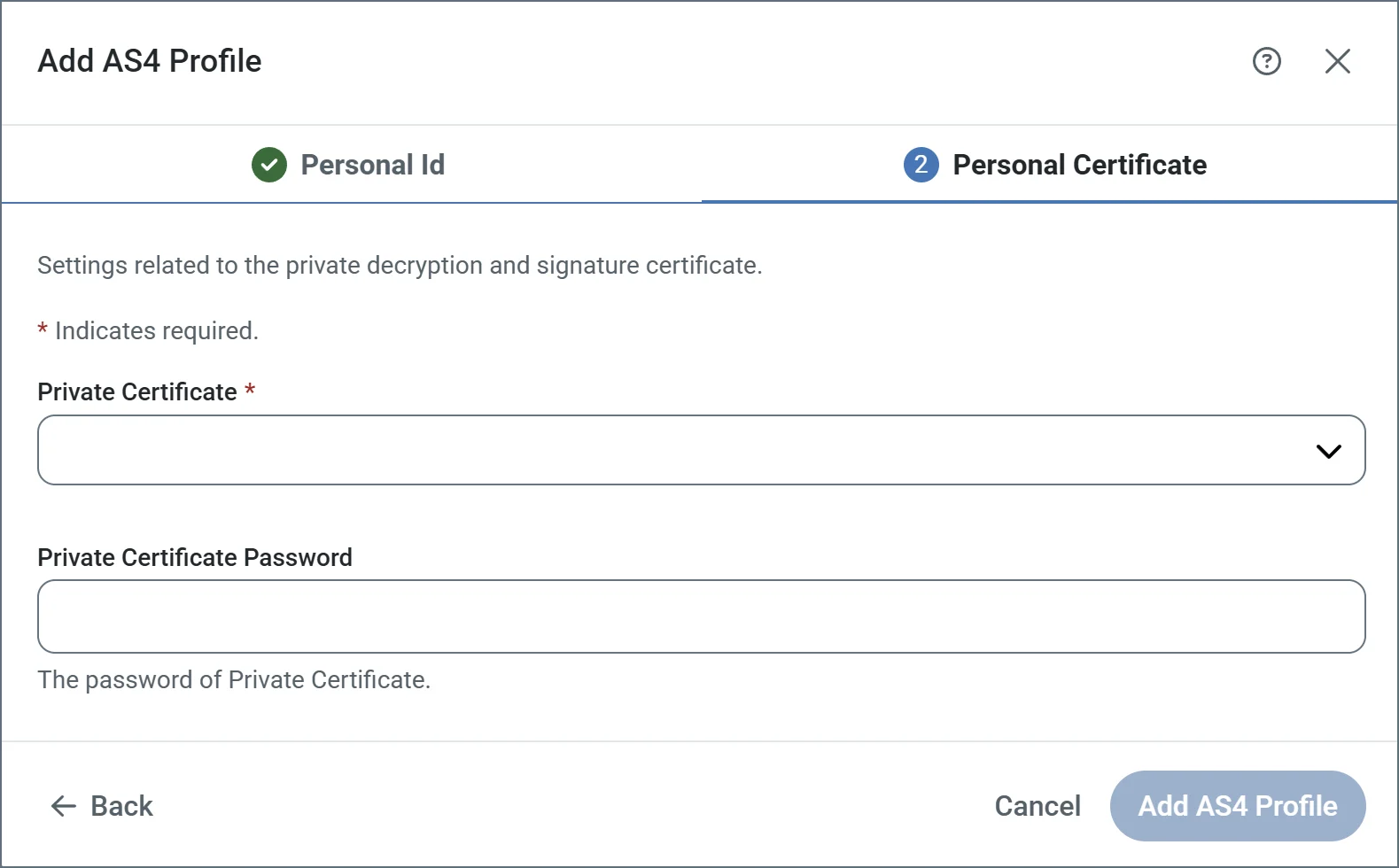
Creating a New Certificate Pair
If you do not already have a private and public key pair to use for AS4 security, supports creating a self-signed certificate. Self-signed certificates are common in the AS4 space, but some partners might require purchasing a certificate from a trusted Certificate Authority (CA). To create a new certificate pair, choose Create Certificate in the Private Certificate dropdown: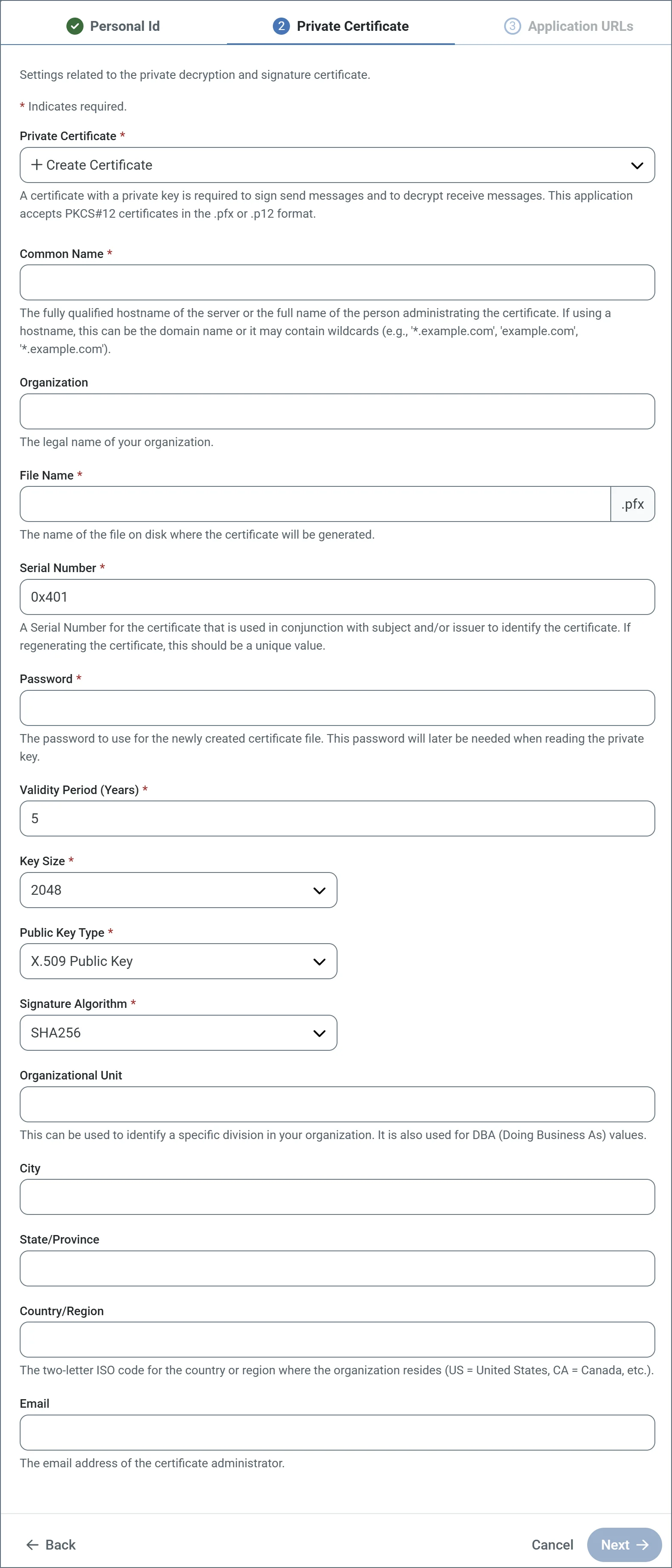
- Common Name: The hostname of the server using the certificate. It is used in conjunction with the serial number to identify the certificate.
- File Name: The name of the certificate file, with a
.pfxextension. The corresponding public key certificate is given the same name with a.cerextension. - Serial Number: A unique serial number that is used in conjunction with the common name to identify the certificate.
- Password: The password required to access the private key.
- Validity Period: Determines the expiration date of the certificate.
- Key Size: Whether to create a 512, 1024, 2048, or 4096-bit key.
- Public Key Type: Whether to create an X.509, OpenSSH, or SSH2 public key.
- Signature Algorithm: The algorithm to use when applying a digital signature to the certificate to verify its authenticity.
data directory. Certificate files in this directory are included in the dropdown lists of any certificate-type settings in the application.
Application URLs
The Application URLs section of the AS4 profile defines the publicly-accessible endpoints where trading partners can send AS4 messages to . Set the Base URL field in the Additional Settings portion of the Settings > Advanced page to the base URL that leads to the machine or network where is hosted (for example,https://mydomain.com/{siteNameShort}). The Receiving URL endpoint is generated based on this domain value and the port on which the application’s web server is listening.
AS4 Connector Configuration
After the AS4 profile is configured, navigate to the Flows page and create an instance of the AS4 connector. Each AS4 connector is configured with the AS4 details for a single trading partner.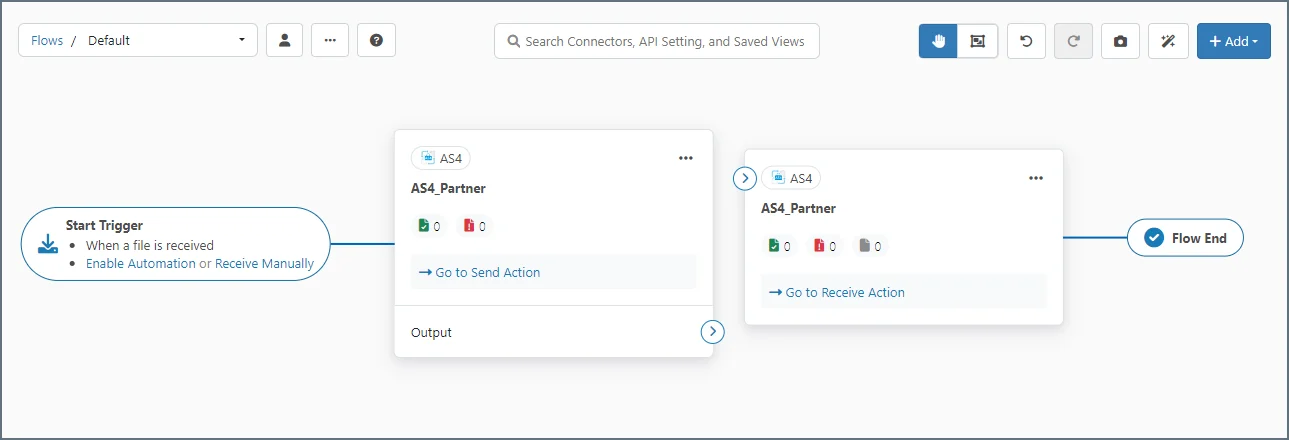
Required Configuration Settings
AS4 configuration details must be provided by the trading partner. These values are mutually agreed upon with your trading partners, so be sure to clearly communicate with them to understand what values they expect in these fields. At a minimum, the details that the trading partner must provide include:- Party Identifier
- URL or endpoint where outgoing AS4 messages are sent
- Public certificate or key for encryption
- Agreement
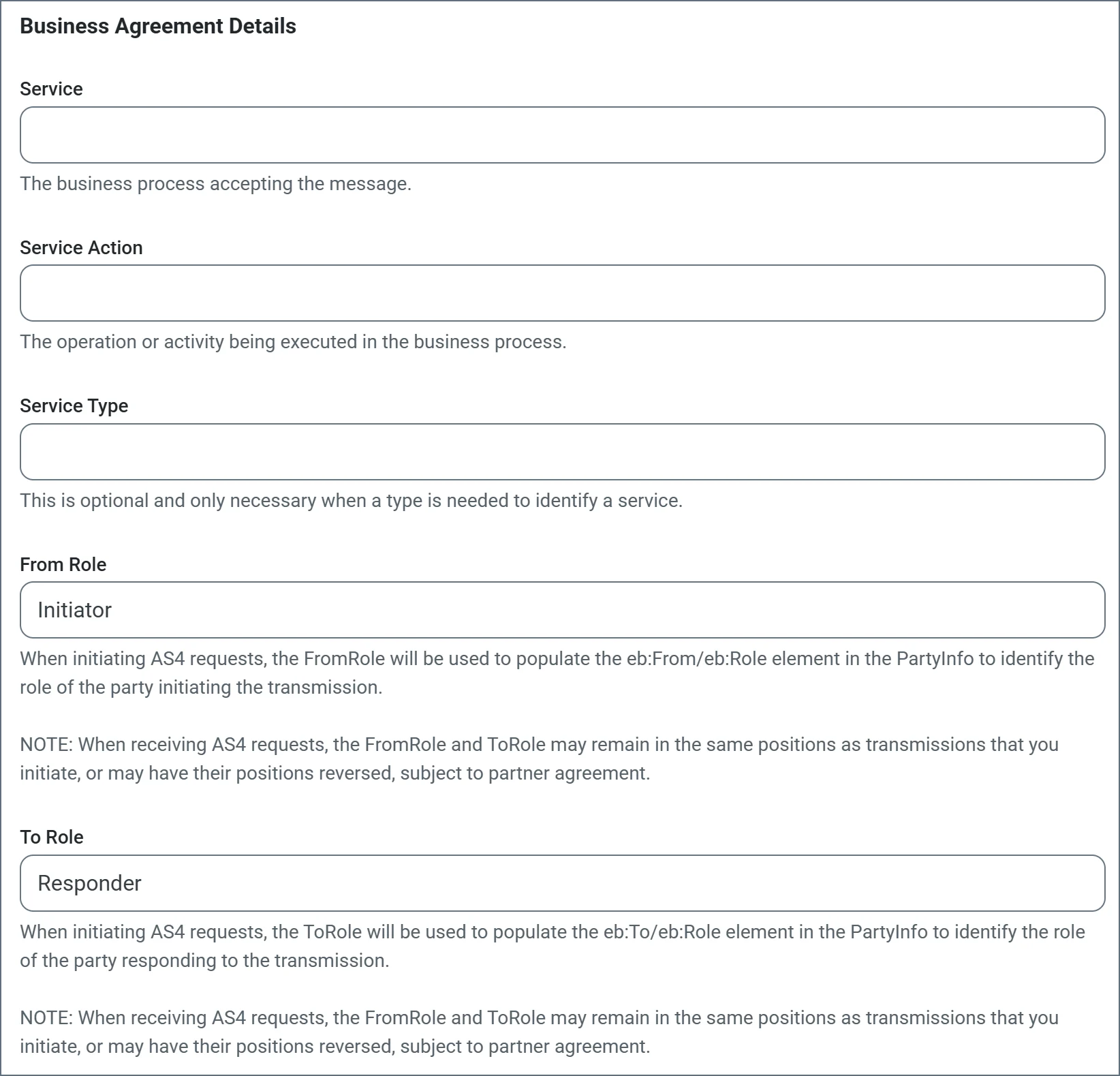
- Business agreement details
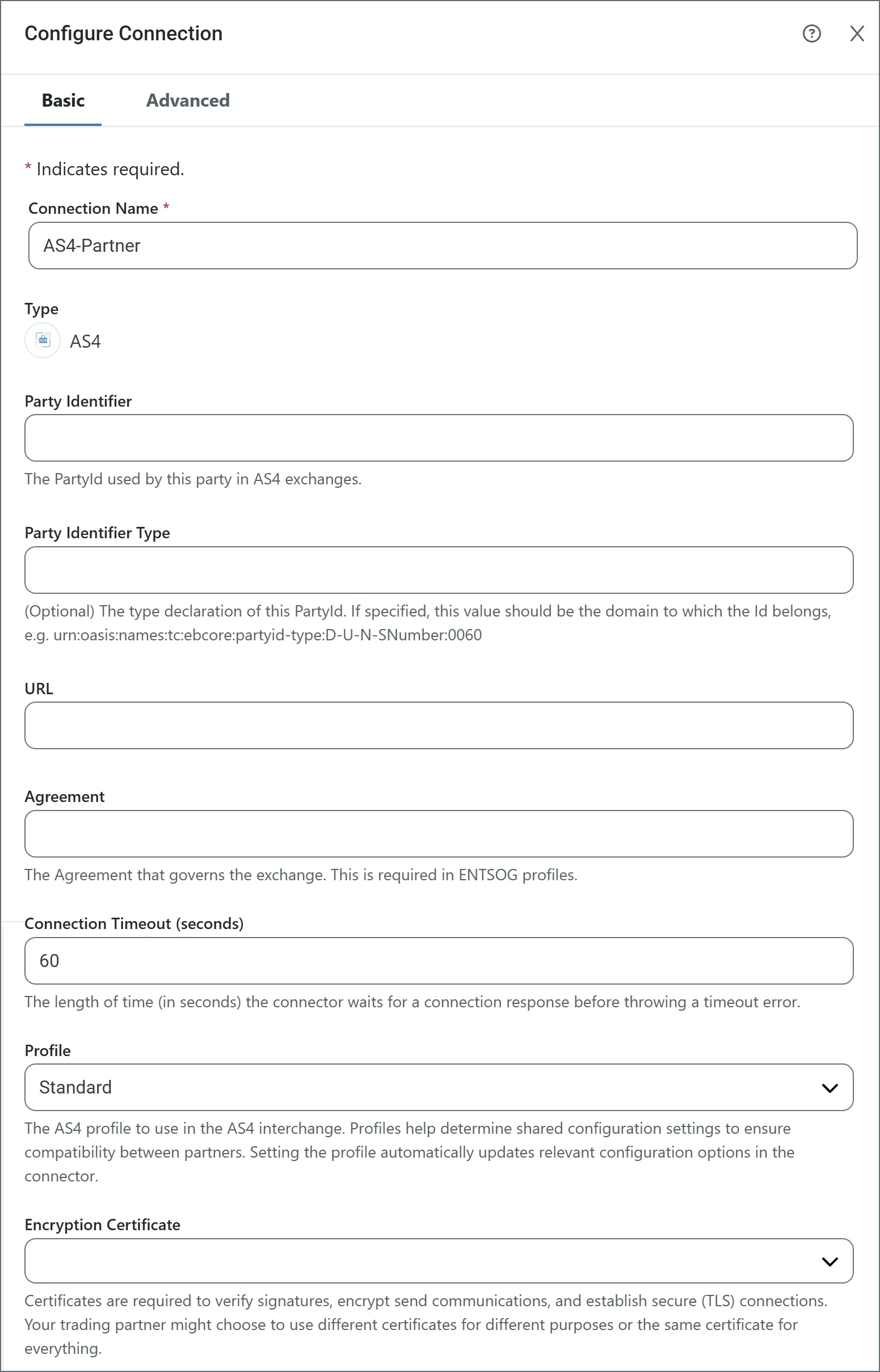
- Party Identifier: The case-sensitive party identifier specific to the target trading partner.
- URL: The trading partner’s public endpoint where outgoing AS4 messages are sent.
- Agreement: The shared AS4 agreement that governs the exchange.
- Encryption Certificate: The public key certificate used for AS4 encryption when sending messages.
- Service: The business process accepting the message.
- Service Action: The operation or activity being executed in the business process.
- From Role: The role of the party from which the message originates.
- To Role: The role of the party to which the message is delivered.
Additional Configuration Settings
Partners can include additional requirements, such as:- Synchronous or asynchronous receipts (configured on the Settings tab; if not specified, assume they want synchronous)
- TLS server certificates for connecting to an HTTPS server (configured on the Configure Connection page)
- Message properties (additional metadata to include in the AS4 payload, configured on the Advanced tab of the connector configuration tabs)
- Specific encryption or signature algorithms (configured in the Advanced tab of the Configure Connection page)
- A separate certificate (in addition to the encryption certificate) for verifying signatures (configured in the Advanced tab of the Configure Connection page)
Standard, ENTSOG, e-SENS, DBEW, ENTSOG V4, and eDelivery V2.
You can choose Auto as the value for several advanced settings, including Encryption Algorithm, Signature Algorithm, Security Token Format, and SSL Enabled Protocols. When set to Auto, the connector automatically chooses the appropriate value for each setting based on the selected profile, but you can manually override these values when necessary.
To edit a connection after it has been created, find it in Settings > Connections and click its name to open the Edit Connection pane. Connections cannot be edited in the AS4 connector.
Testing the AS4 Connection
Once the configuration for a trading partner is complete, you can test the outgoing connection by generating test documents. Navigate to the AS4 connector’s Transactions tab and choose Add Files > Add Test Files. Unless Send Automation is disabled on the Automation tab, the connector automatically attempts to process these test files. Any errors that occur when sending the test files to the configured partner are reported on the Transactions tab, including a log file with context and details on the error. To further diagnose connection issues, use the Log Level and Log Messages options on the Advanced tab. Successfully processed files appear with a green Sent status. Successfully sending test files establishes that the AS4 configuration is correct.Providing AS4 Details to Trading Partners
In the same way that trading partners must provide you with AS4 configuration details in order to configure an AS4 connector, you are responsible for providing AS4 configuration details to your partners. At a minimum, you must provide your partner with:- Your AS4 identifier
- Your public key or encryption certificate
- Your receiving URL