

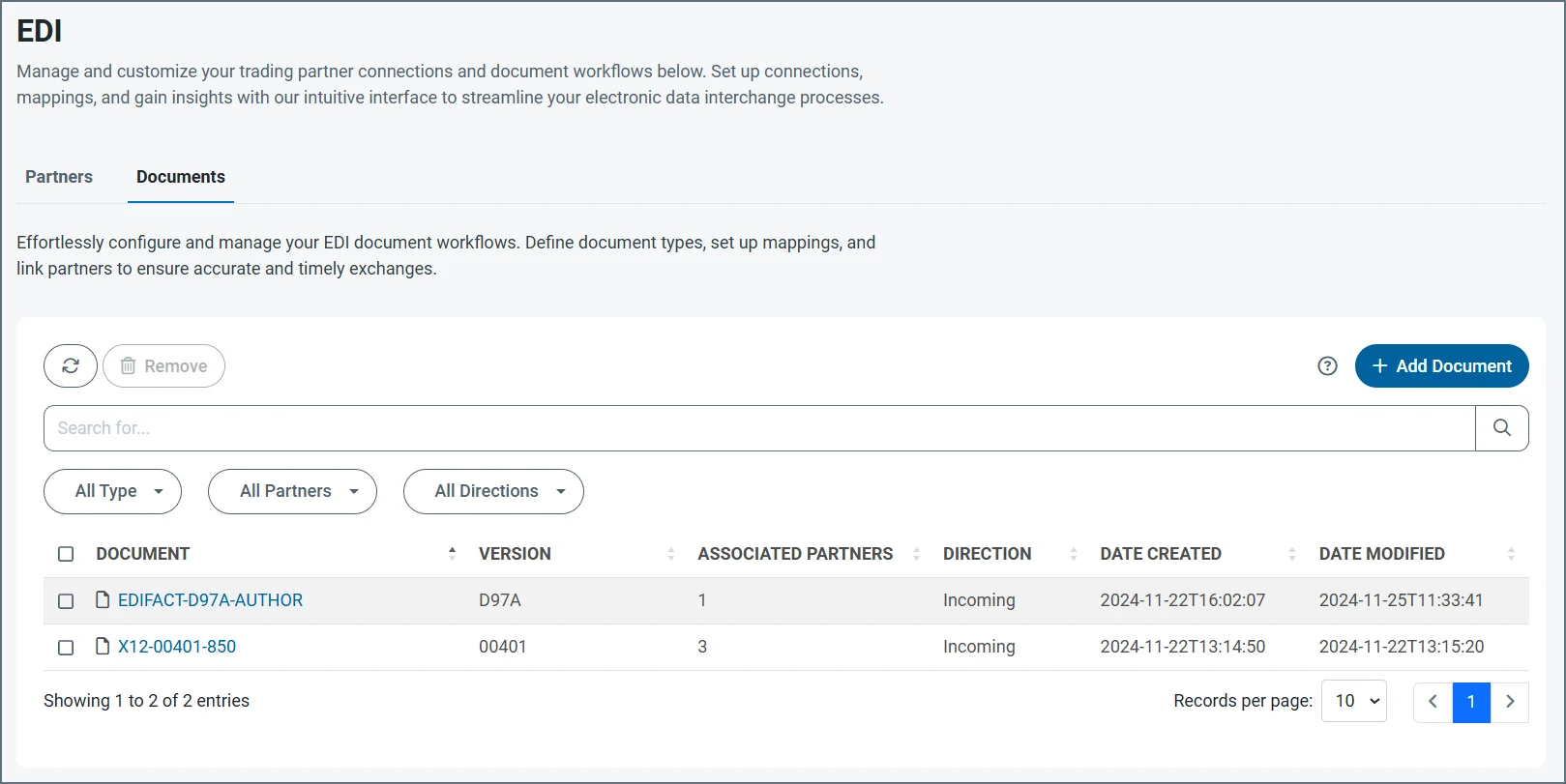
Creating a Document from the Documents Tab
You can create new documents from both the Partners and Documents tabs. These instructions cover creating a document from the Documents tab. See Select or Add Documents for information on creating documents from the Partners tab. From the navbar, click EDI, Documents, then click Add Document.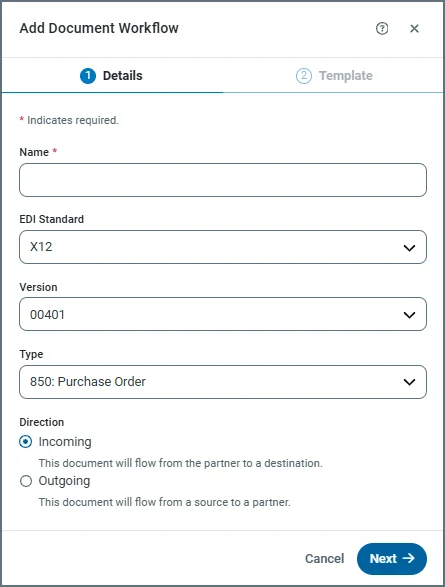
- On the Add Document Workflow Details screen, supply a Name, then use the three dropdowns to choose the EDI Standard, Version, and Type.
- Specify whether this document is for incoming or outgoing data.
- Click Next to go to the Template screen.
- Choose whether the document workflow should be based on the built-in Schema for your document type, or on a sample File in EDI or XML format.
- If you select File, click Choose File and navigate to the EDI or XML file to upload.
- Click Add Document to save the new document.
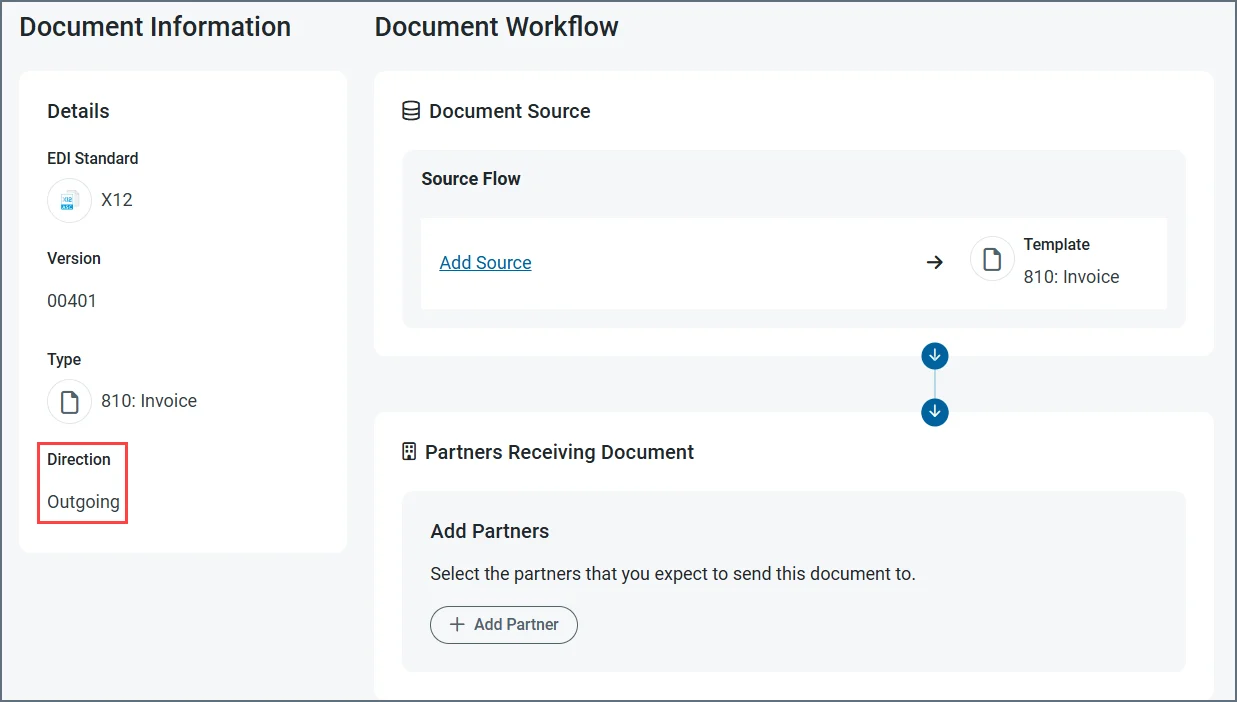
- In the Document Source section of an outgoing document, click Add Source to specify where the data is coming from. After you select and configure the source connector, the workflow mapping page opens. See Configure the Mapping for detailed instruction on how to complete the mappings.
- In the Document Destination section of an incoming document, click Add Destination to specify where the data flows to. After you select and configure the destination connector, the workflow mapping page opens. See Configure the Mapping for detailed instruction on how to complete the mappings.
- In the partners portion of the page, click Add Partner. Only partners that use the same EDI standard appear in the list of available partners. Use the checkboxes to specify your partners, then click Add Partner.
Reusing Documents
Documents are reusable between partners as often as you need, as long as the document shares the same EDI standard as that partner. Follow the steps in Adding a Partner to an Existing Document to reuse a document.Adding a Partner to an Existing Document
You can add partners to existing documents at any time.- From the Documents tab, click a document name.
- In the Document Workflow section of the page, click Add Partner. Only partners that use the same EDI standard appear in the list of available partners. Use the checkboxes to specify your partners, then click Add Partner.