

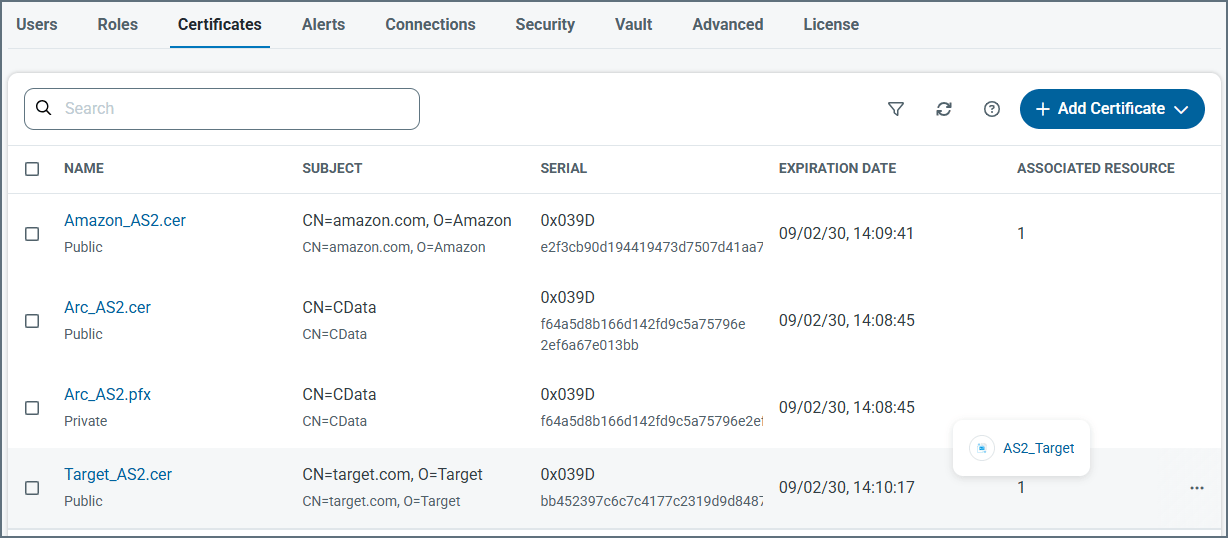
data directory. Typically, certificates come in public/private pairs with the same filename but different file extensions: .pfx for private and .cer for public. Certificates in other formats that are uploaded to the application are stored as-is.
Arc enumerates the certificates in the data directory to determine the options available when configuring a certificate in the UI. Adding a certificate file to the data directory accomplishes the same thing as uploading a certificate in the UI.
Creating Certificates
To manually create a new certificate, choose Create Certificate under Add Certificate: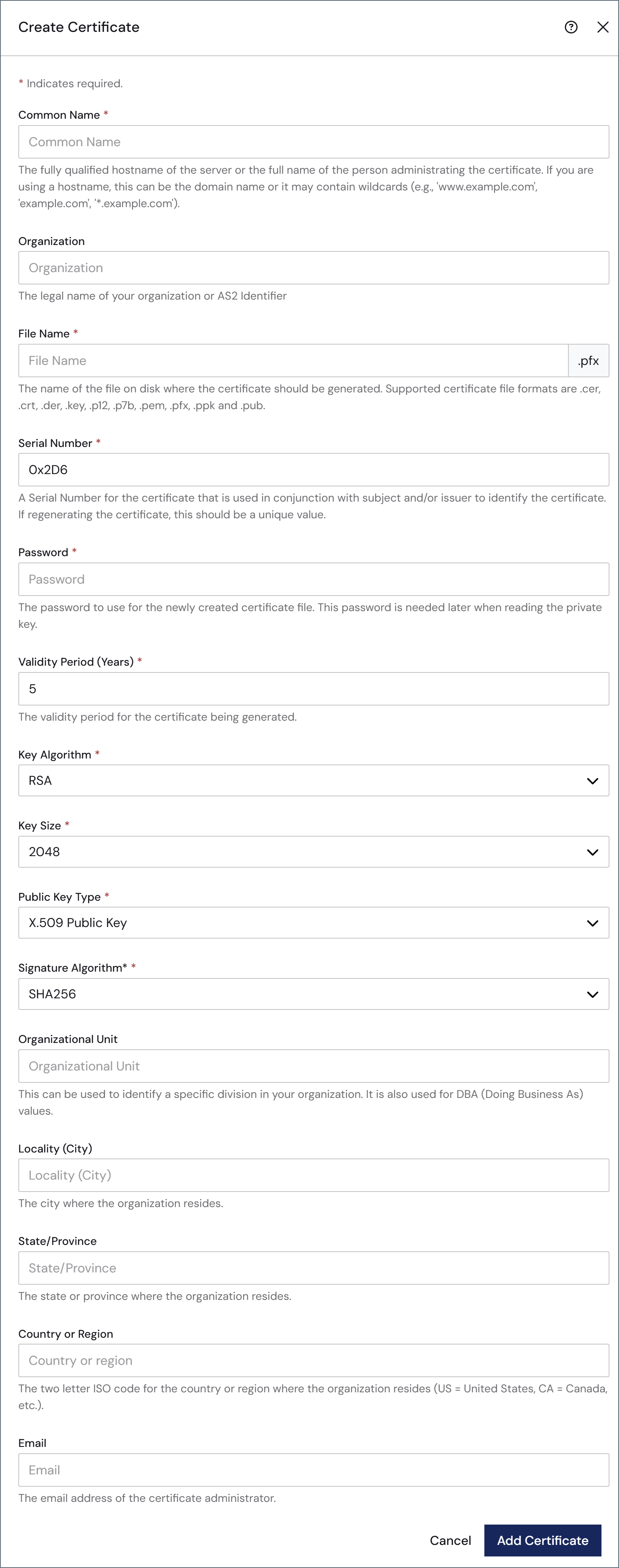
The remaining fields are optional, but you can use them to add further context and metadata to the certificate.
When you are finished, click Add Certificate.