

Tables and Columns
UPSERT Query Behavior
By default, the UPSERT slider in the column mapping is set to ON. This means the UPSERT mapping determines whether a record exists in the destination before INSERTing it (if there is no matching record) or UPDATEing it (if the record already exists).
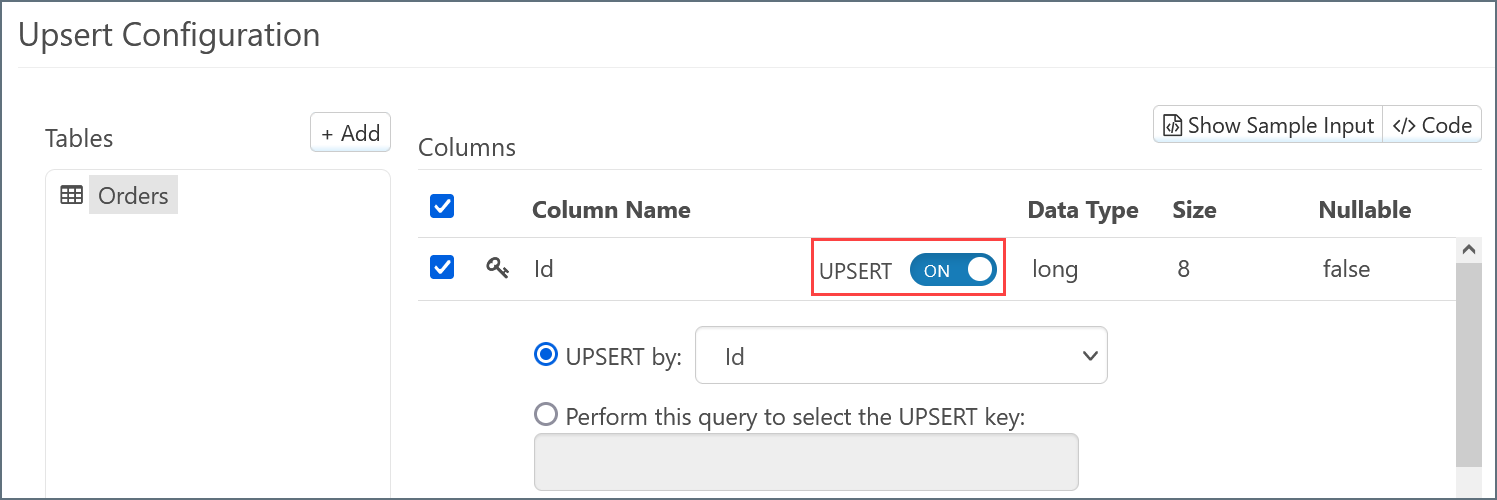
The query that is used to determine that value is determined by the logic described in the following sections.
UPSERT Slider Set to ON
When the slider is set to ON, the query behavior changes based on what you select in the UPSERT By and Perform this query... radio buttons.
UPSERT By Id
If the key column is present in the input XML, a query is issued to the database to determine if any records exist with the matching key:UPSERT By Non-key Column
A query is issued to the database to determine if any records exist where the selected UPSERT By column contains the matching value, by selecting the primary key of the table:If the selected UPSERT By column is not specified in the input, the lookup is used with a NULL value, as shown in the following query:
Using a Custom Query
You can also write a custom query to select the UPSERT key. This option allows for the lookup to be performed using more complex logic than just a single column match. Consider the following query:@OrderID syntax is used to reference a value from the matching input XML. You can also use static values: the quotes around 'Active' denote that this clause uses a static value.
Again, a successful match of the key column is used to form an update request. If there is no match, the record is inserted.
UPSERT Slider Set to OFF
When the slider is set to OFF, the connector simply inserts all queries into the database. Examining the code view of the input mapping shows that theaction attribute of the table is insert:
update, as shown in the following snippet: