> ## Documentation Index
> Fetch the complete documentation index at: https://docs.arc.cdata.com/llms.txt
> Use this file to discover all available pages before exploring further.
# AI Settings
> How to configure AI provider settings for AI features in CData Arc.
export const siteNameShort = "Arc";
This section contains the configuration options that control the behavior of {siteNameShort}'s in-product AI features. To connect an external AI client to this {siteNameShort} instance, see [Remote MCP Server](../../../admin-api/remote-mcp-server).
Click **Configure** to open the **Configure AI Settings** pane.
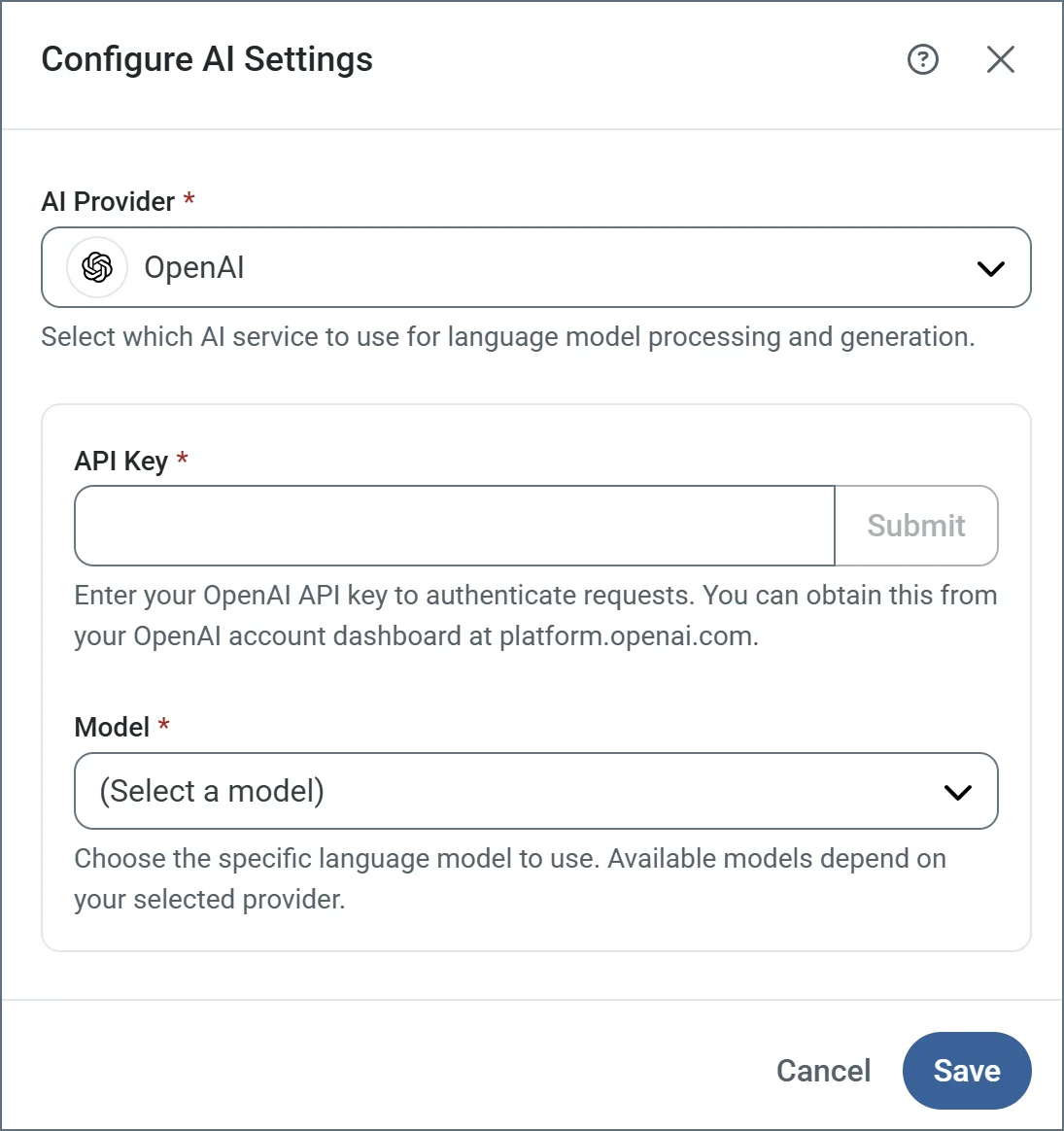 | Setting | Description |
| --------------- | ------------------------------------------------------------------------------------------------------------------------------------------------------------------------------------------------------------------------- |
| **AI Provider** | Choose your AI provider from the list. The supported providers are Claude, DeepSeek, Gemini, Grok, Ollama (cloud and local), OpenAI, and OpenAI Compatible. The following settings vary based on your choice of provider. |
| **API Key** | Enter your API key to authenticate requests (all providers except Ollama local). |
| **Base URL** | Specify the endpoint URL where your *Ollama (Local)* or *OpenAI Compatible* service is running (for example, `http://localhost:11434`). |
| **Model** | Choose the specific language model to use. Available models depend on your provider. |
Not all open source models support the ability to set a JSON schema to use for the response that {siteNameShort} requires. Ensure the **Model** you choose has that capability.
| Setting | Description |
| --------------- | ------------------------------------------------------------------------------------------------------------------------------------------------------------------------------------------------------------------------- |
| **AI Provider** | Choose your AI provider from the list. The supported providers are Claude, DeepSeek, Gemini, Grok, Ollama (cloud and local), OpenAI, and OpenAI Compatible. The following settings vary based on your choice of provider. |
| **API Key** | Enter your API key to authenticate requests (all providers except Ollama local). |
| **Base URL** | Specify the endpoint URL where your *Ollama (Local)* or *OpenAI Compatible* service is running (for example, `http://localhost:11434`). |
| **Model** | Choose the specific language model to use. Available models depend on your provider. |
Not all open source models support the ability to set a JSON schema to use for the response that {siteNameShort} requires. Ensure the **Model** you choose has that capability.