> ## Documentation Index
> Fetch the complete documentation index at: https://docs.arc.cdata.com/llms.txt
> Use this file to discover all available pages before exploring further.

# MySQL Execute Stored Procedure Configuration

> Execute a stored procedure in MySQL from an Arc message in the flow.

export const DbasaESP = ({datasource = "the data source", siteName = "CData Arc"}) => {
  return <>
      <p>
        The Execute Stored Procedures action treats data coming into the {datasource} connector as
        input for stored procedures. The connector executes the stored procedure that you choose, then
        passes the result down the flow (if applicable).
      </p>

      <p>Follow these steps to configure a stored procedure:</p>

      <ol>
        <li>
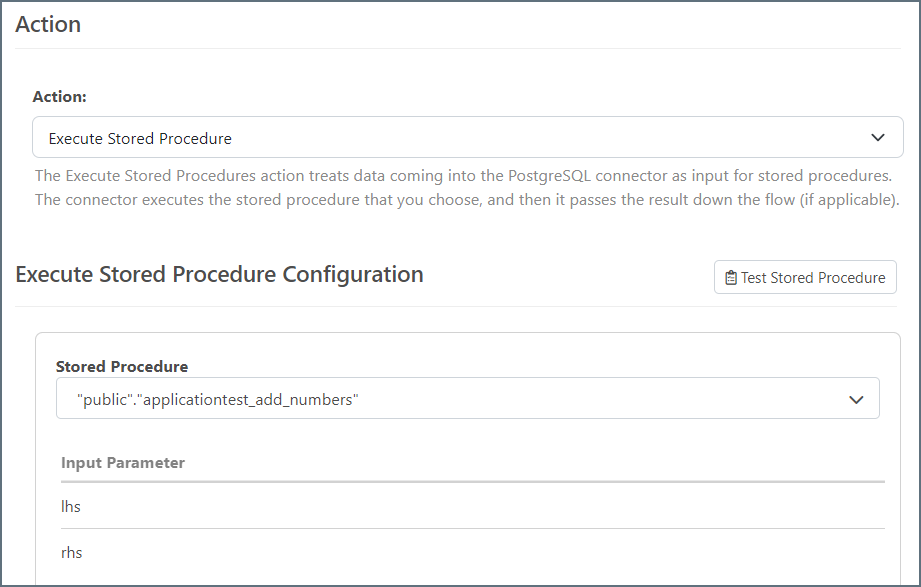
          Select a stored procedure from the drop-down menu. The available stored procedures depend on the connector and cannot be customized from {siteName}.
          <img src="/public/images/dbsa_esp_select.png" alt="Select stored procedure" width="650" />
          You can see the input and output parameters for the stored procedure, as well as any return values (if applicable).
        </li>
        <li>
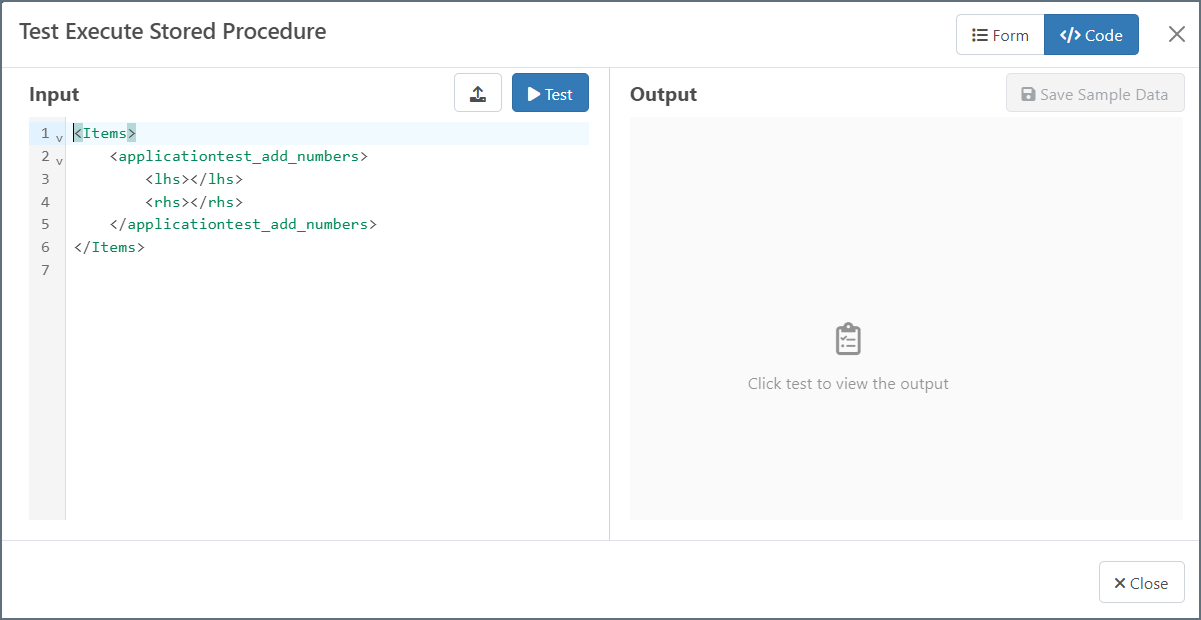
          Click <strong>Test Execute Stored Procedure</strong> to see what the structure of the input XML should look like.
          <img src="/public/images/dbsa_esp_test.png" alt="ESP test" width="700" />
        </li>
        <li>
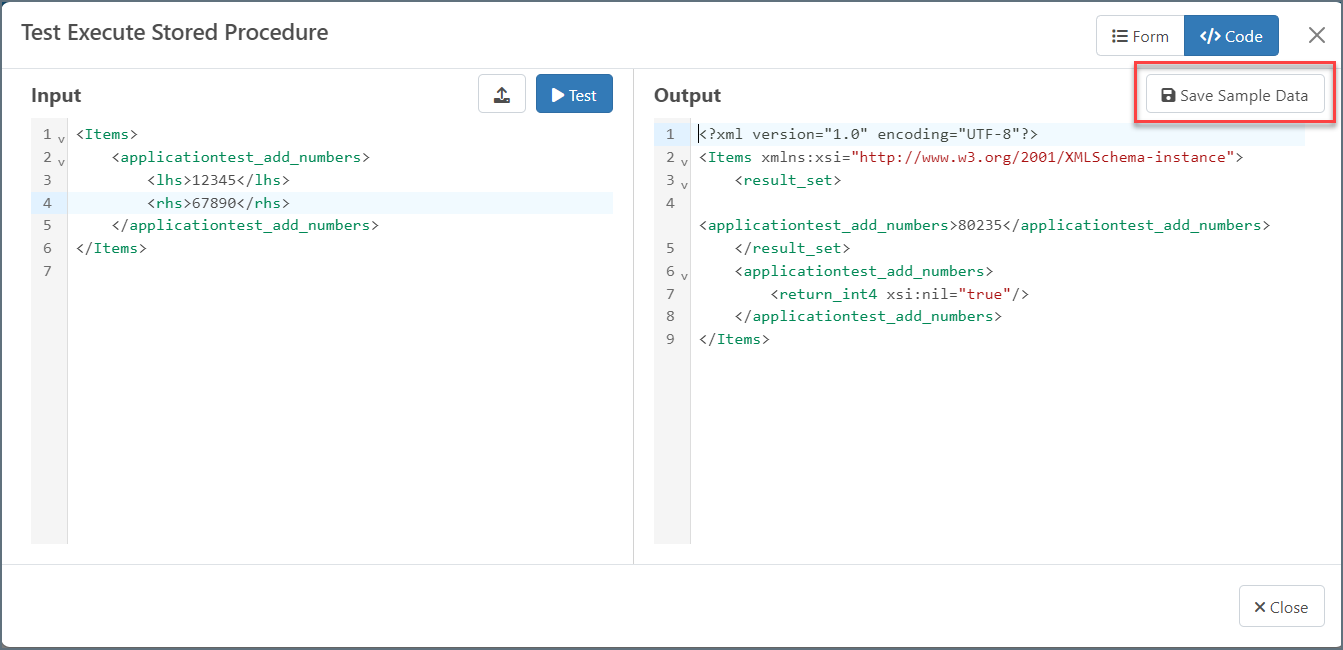
          Complete the <strong>Input</strong> parameters and click <strong>Test</strong> to see what output will be generated. When you are satisfied with the test results, you can click <strong>Save Sample Data</strong> to make the data accessible to other connectors.
          <img src="/public/images/dbsa_esp_sample.png" alt="ESP sample data" width="750" />
        </li>
      </ol>

      <p>
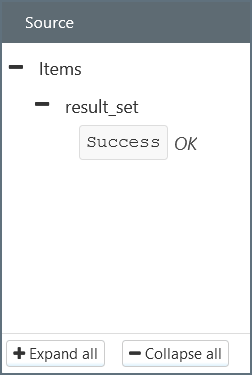
        You can connect the {datasource} connector to an XML Map connector. The results of the Execute
        Stored Procedure appear as inputs under the <strong>Source</strong> tree.
      </p>

      <img src="/public/images/dbsa_esp_xmlmap.png" alt="ESP XML map" width="200" />
    </>;
};

<DbasaESP datasource="MySQL" />